What Does Visual Content Creation Mean?
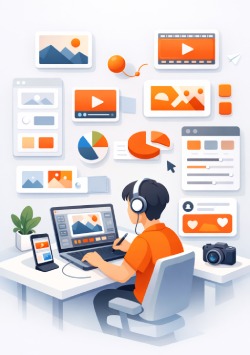
Visual content creation means creating images, graphics, videos, and animations to convey a message or idea. Visual content creation is being used across multiple industries such as marketing, education, entertainment and business communications. As digital platforms continue to expand, there is an increase in the need for high-quality visual content.
Visual content today must not only provide a clear presentation of the information but also capture the viewer's attention. To accomplish this, designers and producers are using design tools that make the design process simpler. With these tools, users can develop professional-looking visual content with minimal technical knowledge.
As more people access the Internet through mobile devices, the manner in which content is produced and consumed has changed. Most tools today allow users to design and publish content directly from a web browser or mobile application. In addition to these capabilities, templates, drag-and-drop features, and pre-built assets are common among these tools. These capabilities enable users to save time while providing a consistent look and feel to their content.
Categories of Design Tools
Tools for designing are categorized based upon their primary function. Each of the categories enables users to create a specific form of visual content. Many platforms are currently combining two or more of the primary functions into a single platform.
- Graphic design tools are used to create static visuals (i.e., posters, social media posts, presentations etc). Graphic Design tools typically include templates, font Libraries, image editing capabilities. They are often utilized by marketers and content creators that require quick turnaround of visuals.
- Video editing tools are created to edit and/or create moving content (i.e., video). They enable users to cut footage, add transitions, text overlays, edit audio, etc.
- Animation tools are created to develop motion graphics and animated visuals.
- AI Tools are being used to grow the options available to create visual vontent.
Best Tools for Non-Designers
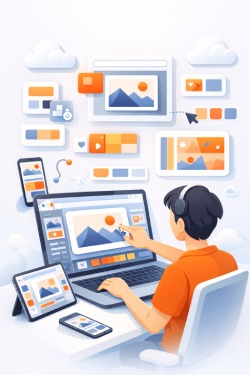
As a result of the growth in digital marketing, there is an increasing mumber of design tools that were developed specifically for users without formal training. The primary goals of these tools are simplicity and accessibility. As a result of using pre-designed templates, users can select a template or layout, adjust text and replace images to customize the color scheme to match their needs. By using pre-designed templates, users require minimal technical skills to create visually appealing results.
Another key feature used in these tools is drag-and-drop functionality. This functionality enables users to move elements around the design space without needing to understand complex software controls. By using this type of functionality, the design process becomes more intuitive and less time consuming.
Cloud-based access is becoming increasingly popular for many beginner-friendly design tools. The advantage of this type of access is that users can work from various devices (computers, laptops, tablets) without having to download or install any applications. All project files are automatically stored online which provides both increased accessibility and flexibility; and facilitates team members to collaborate on projects as well.
Due to their ease-of-use and affordability, beginner-friendly design tools are ideal for small businesses; educators and students; and anyone else who creates content on a regular basis but does not have access to professional-grade design equipment.
Beginner Friendly vs. Advanced Design Tools
The primary difference between beginner-friendly and advanced design tools relates to the degree of complexity and amount of creative control available to users. Beginner-friendly design tools were created to simplify the design process. In contrast, advanced design tools provide an increased number of features and options for users to customize their designs to a higher degree of detail.
Some typical features found in beginner-friendly design tools are:
- Pre-made templates
- Peset layouts
- Automated design feature adjustment.
These features assist users to create content quickly and efficiently. However, the drawback of using beginner-friendly design tools is that users will have limited ability to customize their designs for more complex projects.
Advanced design tools provide a much broader selection of features. Some of the additional features include:
- More detailed editing controls
- Layering systems
- Support for creating high-resolution images and videos
Typically, advanced design tools are used by professional designers who require complete control over all aspects of their design work. Advanced design tools may also support specialized tasks such as vector graphics creation, advanced video editing, and sophisticated animation.
Choosing Between Beginner Friendly and Advanced Design Tools
Ultimately, whether to choose beginner-friendly or advanced design tools will depend upon the specific needs of the user. For example, if you are looking to rapidly create simple content then a beginner-friendly design tool would be the better option. However, if you are designing a highly detailed project, than an advanced design tool would be more appropriate.
When Simple Tools Are Enough
Simple design tools are ideal for producing good quality visual content in most instances. You do not need to have sophisticated features, or the ability to customize down to the last detail for every project. As an example, creating social media posts, creating a presentation, and making general marketing materials are all well suited to using beginner tools.
The value of using simple tools is often related to how quickly you can complete your project. Using a template, or taking advantage of automation will allow you to complete your project quickly while maintaining clarity. This is beneficial to small businesses and individuals with a constant online presence.
In addition, simple tools lend themselves well to collaboration. Teams can share templates and collaborate via cloud-based platforms to keep their content looking consistent across various pieces of content. In doing so, the need for large amounts of design knowledge does not exist among the team.
There are some projects that would be better served by using more advanced design tools. Examples include projects requiring a lot of detail in branding, complex layout, or high resolution output. Ultimately, the choice of tool comes down to what the scope and purpose of the content is.
Visual content development has evolved over time, and continues to evolve due to emerging design tools, and design technologies. Understanding the tools available at this point in time, allows designers to choose the right tools for the task they are working on, and produce visual content that is both effective, and aesthetically pleasing.